
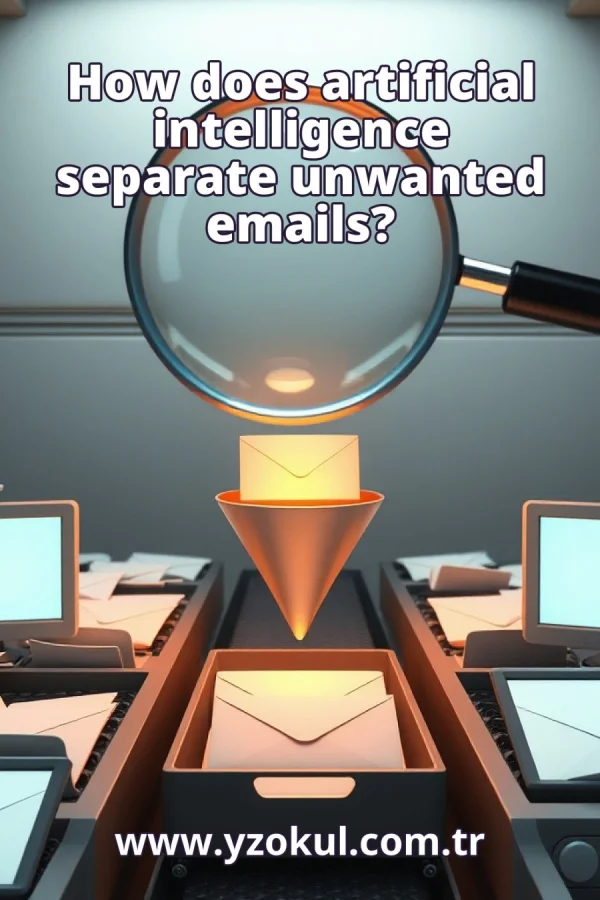
How does artificial intelligence separate unwanted emails?
www.yzokul.com.tr
- Category AI Resources
- Format PDF
- Size 7.2 MB
- Added 01.11.2026
- Views 1
This book answers the question of how artificial intelligence separates unwanted emails. It follows a beginner-friendly path that explains email filtering from zero, showing how a system looks at message content, sender information and link features. By learning from past examples, the system estimates how likely a message is to be spam. The book also notes that one word alone is not enough, so normal messages may be blocked by mistake or harmful ones missed.
Read the Book
If the PDF does not appear, open it in a new tab.
A Chapter from the Book
How does artificial intelligence separate unwanted emails? www.yzokul.com.tr
You may wonder how artificial intelligence separates unwanted emails. The short answer is that it looks at many clues in a message and estimates how likely it is to be unwanted, based on past examples. It does not judge by one clue alone. Instead, it combines several signals before making a decision. This book explains each clue and how they work together step by step. 1
Unwanted email, often called spam, is mail you did not ask for. It is often advertising or an attempt to trick you into clicking something or sharing information. The goal of an email filter is to sort these messages away from the mail you want to read. A good filter keeps your inbox clean while letting normal messages through. Understanding what spam is helps you see why the filter looks for certain clues. 2
A filter works like a sorting gate for your mail. Every message that arrives must go through the gate and be sent either to your inbox or to the spam folder. The system must make a decision for every single message, even when it is not completely sure. The decision is based on clues found in the message. The rest of this book explains what those clues are. 3
The first clue is the message content: the words and phrases inside the email. The system reads the text and looks for words and patterns that appear more often in unwanted mail than in normal mail. For example, phrases like act now or limited offer may show up frequently in spam. But the system does not rely on one word alone, as you will see later. It looks at the overall pattern of the text. 4
The second clue is sender information. The system checks who sent the message, including the sender address and how it is written. A strange or unknown sender can be a warning sign. For example, an address with many random numbers or a misspelled company name may suggest spam. The system compares this information with what it has learned from past messages. Sender details help build a fuller picture of each email. 5
The third clue is link features. The system examines the links inside a message, especially where they really lead. A link that looks real but points somewhere else is called a deceptive link. For example, a link that appears to go to a bank but actually goes to a different website is suspicious. Checking link features helps catch messages that try to trick you into clicking. Links are a strong clue when combined with other signals. 6
The system learns from past examples. It is shown many old messages that people have already marked as wanted or unwanted. From these examples, it learns which clues tend to go with spam. For instance, if many past spam messages contained deceptive links, the system learns to treat that clue as a warning. Learning from examples is how the system builds its knowledge without being explicitly programmed for every case. 7
The system does not say yes or no with certainty. Instead, it estimates a probability, which is a number showing how likely the message is to be unwanted. For example, it might estimate a 90 percent chance that a message is spam. This number helps the system decide what to do next. The probability is based on all the clues found in the message. 8
Clues are weighed together, not one by one. Repeated advertising patterns plus a deceptive link can add up to a strong signal. For example, a message with many sales words and a link that points to a strange website is more likely to be spam than a message with just one of those clues. Combining clues gives a more reliable estimate. The system adds up the evidence before making a decision. 9
A single word cannot decide the result. A normal message can contain a suspicious word, so the system needs more evidence. For example, a friend might write about a great offer they found, and the word offer alone should not send it to spam. The system looks at the whole message, not just one word. This is why it combines many clues before estimating the probability. 10
The system uses a threshold, which is a decision line. Above a certain probability, the message goes to the spam folder. Below that line, it goes to your inbox. Where this line sits changes how strict the filter is. A low threshold means more messages are treated as spam, while a high threshold means fewer are. Choosing the right threshold is a balance. 11
Sometimes a normal message is blocked by accident. This happens when its clues happen to look like spam. For example, a newsletter you signed up for might contain many advertising words and a link, so the filter may send it to spam. This is a common mistake. It shows that even a well-trained system can make errors when clues are misleading. 12
Sometimes an unwanted message reaches your inbox. This happens when its clues look harmless enough. For example, a spam message written in plain language with no links might slip past the filter. This is the other common mistake. It shows that the system cannot catch every unwanted message. Some spam will always get through. 13
The two mistakes pull in opposite directions. Making the filter stricter reduces missed spam but blocks more normal mail. Making it looser reduces blocked normal mail but lets more spam through. For example, lowering the threshold catches more spam but may also catch your favorite newsletter. There is no perfect setting.
This section is a preview taken from the book (about 949 words). To continue, read the book or download the PDF.
Book Details
- Book
- How does artificial intelligence separate unwanted emails?
- Author
- www.yzokul.com.tr
- Category
- AI Resources
- Language
- English
- Format
- PDF · 7.2 MB
- Pages
- 18
- Words
- about 1,093
- Published
- kaynak.yzokul.com.tr · 01.11.2026
- Access
- Free to read and download; for personal use only, all rights belong to the author.
Frequently Asked Questions
Is the PDF of How does artificial intelligence separate unwanted emails? free?
Yes. How does artificial intelligence separate unwanted emails? can be read and downloaded for free on this site; no sign-up or payment is required.
How many pages is How does artificial intelligence separate unwanted emails??
How does artificial intelligence separate unwanted emails? has 18 pages and about 1,093 words.
Which devices can I read How does artificial intelligence separate unwanted emails? on?
It is a PDF; you can read it in your browser on a phone, tablet or computer, or download it and open it offline.
Who is the author of How does artificial intelligence separate unwanted emails??
How does artificial intelligence separate unwanted emails? was written by www.yzokul.com.tr; it is listed in the AI Resources category.
Similar Books
 What is simulation?
www.yzokul.com.tr
What is simulation?
www.yzokul.com.tr
 What is the difference between a microcontroller and a normal computer?
www.yzokul.com.tr
What is the difference between a microcontroller and a normal computer?
www.yzokul.com.tr
 What is a microcontroller?
www.yzokul.com.tr
What is a microcontroller?
www.yzokul.com.tr
 How does a program get information from the user?
www.yzokul.com.tr
How does a program get information from the user?
www.yzokul.com.tr
 How does two-step verification work?
www.yzokul.com.tr
How does two-step verification work?
www.yzokul.com.tr
 What is the difference between a hash function and encryption?
www.yzokul.com.tr
What is the difference between a hash function and encryption?
www.yzokul.com.tr