
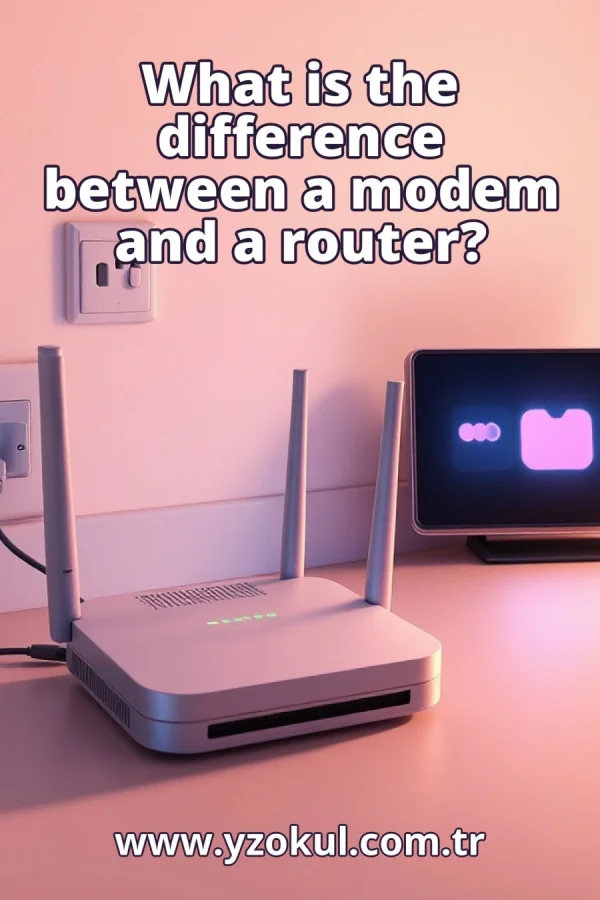
What is the difference between a modem and a router?
www.yzokul.com.tr
- Category AI Resources
- Format PDF
- Size 7.4 MB
- Added 01.11.2026
- Views 1
This beginner-friendly answer book explains the difference between a modem and a router from zero, assuming no prior knowledge. It answers the question by showing that a modem establishes a network connection using signals suited to the access technology, while a router organizes the transfer of data packets between different networks. It also explains why the two are often confused: a single home device can combine both tasks plus wireless access, yet still perform several separate network jobs inside.
Read the Book
If the PDF does not appear, open it in a new tab.
A Chapter from the Book
What is the difference between a modem and a router? www.yzokul.com.tr
You likely have a box at home with blinking lights, and you may wonder what it actually does. The short answer is simple: a modem connects your home to your internet provider's network, and a router shares that connection among your devices. Everything else in this book unpacks these two separate jobs, so you can see clearly why they are not the same thing. 1
People often mix up modems and routers because both sit between you and the internet. You see one box, maybe two, and both seem to deal with getting you online. The confusion is natural, but separating the two jobs makes the whole picture much clearer. Think of them as two different workers in the same office, each with a specific task. 2
A network is simply a group of devices that can send data to each other. Your phones, laptops, and TV at home form one small network. The internet is a huge network of networks, connecting millions of devices worldwide. Understanding this helps you see where the modem and router each fit in the chain from your device to the outside world. 3
Information sent over a network is cut into small pieces called packets. Each packet carries an address, like a letter with a destination written on it. Networks move these packets from place to place, similar to how mail moves through sorting centers. This packet system lets many devices share the same connection without everything getting mixed up. 4
A modem's job is to establish the connection to your internet provider. It turns the provider's signal into something your home network can use, and it converts your data back into the provider's signal. Without a modem, your home has no path to the outside network. The modem is the bridge between your home and the provider's lines. 5
The modem uses signals suited to the access technology being used. A phone line, a cable line, and a fiber line each carry data differently, so each needs different signal handling. The modem performs that conversion, matching your home equipment to whatever line comes into your house. This is why different internet types sometimes need different modems. 6
Picture a home with phones, laptops, and a TV all wanting internet at once. A single modem connection cannot by itself sort out which packet goes to which device. It just provides one path to the provider. Something else must organize the flow inside your home so each device gets its own data. That is where the router comes in. 7
A router organizes the transfer of data packets between different networks. It decides which packet belongs to which device and passes it along to the right place. Your router sits between your home network and the outside network, directing traffic like a traffic officer. It keeps track of which device asked for what, so replies reach the correct one. 8
The split becomes clear when you think of two sides. The modem faces the outside provider network, handling the connection to the internet. The router faces the inside home network, managing packets among your devices. Each handles its own side of the boundary between your home and the provider's lines. They work together but do different jobs. 9
A single home box often combines the modem, the router, and wireless access. That is why the words get confused in everyday talk. You see one device, so you assume one function. But inside that box, several separate network tasks are happening at once. Knowing this helps you understand what each part actually does. 10
One physical device can carry out several separate network jobs inside. Being one box does not mean it is only one task. Just as a smartphone is a phone, camera, and computer all in one, a home gateway can be modem, router, and wireless access point together. The jobs remain distinct even when the hardware is shared. 11
Wireless access is a third function, often built into the same box. Wi-Fi lets devices join the home network without cables. But Wi-Fi is not the modem or the router job itself. It is simply the way your devices connect to the router. The router still organizes packets, and the modem still reaches the provider. 12
Follow one packet from a laptop out to the internet and back. The laptop sends the packet to the router, which notes which device sent it. The router passes it to the modem, which converts it for the provider's line. The reply comes back through the modem, then the router, which sends it to the right laptop. Each job is visible in this round trip. 13
A common mistake is treating modem and router as the same thing. They are different jobs that may happen to live in one box. If your internet stops working, knowing which job failed helps you fix it. The modem might lose its connection to the provider, while the router might still be working fine inside your home. 14
Another common mistake is thinking Wi-Fi equals internet. Wi- Fi only connects your devices to the local network. The modem is what reaches the provider and brings the internet in. If your Wi-Fi is on but web pages do not load, the problem may be the modem's connection, not the wireless signal. Keep the two ideas separate.
This section is a preview taken from the book (about 904 words). To continue, read the book or download the PDF.
Book Details
- Book
- What is the difference between a modem and a router?
- Author
- www.yzokul.com.tr
- Category
- AI Resources
- Language
- English
- Format
- PDF · 7.4 MB
- Pages
- 18
- Words
- about 964
- Published
- kaynak.yzokul.com.tr · 01.11.2026
- Access
- Free to read and download; for personal use only, all rights belong to the author.
Frequently Asked Questions
Is the PDF of What is the difference between a modem and a router? free?
Yes. What is the difference between a modem and a router? can be read and downloaded for free on this site; no sign-up or payment is required.
How many pages is What is the difference between a modem and a router??
What is the difference between a modem and a router? has 18 pages and about 964 words.
Which devices can I read What is the difference between a modem and a router? on?
It is a PDF; you can read it in your browser on a phone, tablet or computer, or download it and open it offline.
Who is the author of What is the difference between a modem and a router??
What is the difference between a modem and a router? was written by www.yzokul.com.tr; it is listed in the AI Resources category.
Similar Books
 What is artificial intelligence?
www.yzokul.com.tr
What is artificial intelligence?
www.yzokul.com.tr
 How does an app idea turn into a working program?
www.yzokul.com.tr
How does an app idea turn into a working program?
www.yzokul.com.tr
 How does a three-dimensional printer produce a model?
www.yzokul.com.tr
How does a three-dimensional printer produce a model?
www.yzokul.com.tr
 What is simulation?
www.yzokul.com.tr
What is simulation?
www.yzokul.com.tr
 What is the difference between a microcontroller and a normal computer?
www.yzokul.com.tr
What is the difference between a microcontroller and a normal computer?
www.yzokul.com.tr
 What is a microcontroller?
www.yzokul.com.tr
What is a microcontroller?
www.yzokul.com.tr