
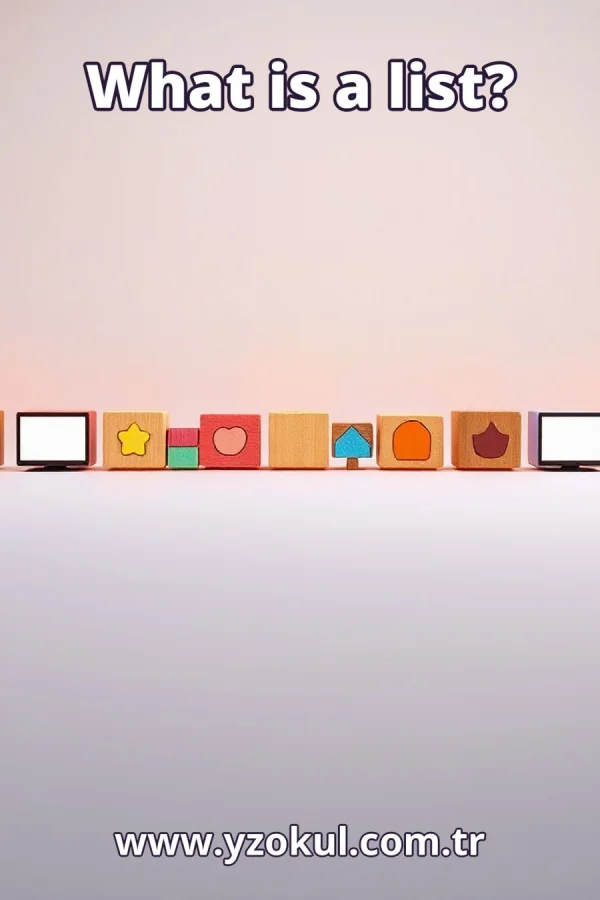
What is a list?
www.yzokul.com.tr
- Category AI Resources
- Format PDF
- Size 6.4 MB
- Added 01.11.2026
- Views 1
This educational answer book explains what a list is for complete beginners with no prior knowledge. It answers the question of what a list is and follows a simple path: defining a list as a data structure that holds multiple values in a specific order, giving everyday examples like students' names or collected items, and describing basic operations such as adding items, going through items, and accessing a value at a specific position. It also notes that allowed operations and type rules vary by programming language.
Read the Book
If the PDF does not appear, open it in a new tab.
A Chapter from the Book
What is a list? www.yzokul.com.tr
A list is a data structure that holds multiple values in a specific order. That short answer is enough to start: one name, many values, kept in order. For example, a list can hold the names of all students in a class. Remember this definition as you read the rest. 1
A data structure is simply a way of organizing information so a program can use it. A list is one such way, like a labeled container that holds many values together. For example, think of a box labeled fruits that holds apples, bananas, and oranges. The label is the list name, and the items inside are the values. 2
Instead of making a separate name for every value, a list gives one name to a whole group of values. One box holds many things, so you do not need a new name for each item. For example, instead of name1, name2, and name3, you have one list called names. That one name points to all the values together. 3
The values in a list sit in a specific order: first, second, third, and so on. The position of each value is part of what the list is, not an accident. For example, the list of students may have Ana first, Ben second, and Cara third. If you change the order, the list is different. 4
A class list of students' names written in a column is one list holding many names, kept in order. Each name sits on its own line, one after another from top to bottom. For example, the list could be Ana, Ben, Cara, and Dan in that order. This is a simple everyday example of a list. 5
A player's collected items in a game are kept together in one place, which is also a list. This shows a list can hold things other than names, such as keys, coins, or potions. For example, the list might be key, coin, coin, and potion in the order collected. One list name holds all those items. 6
Each spot in a list has a position number, so a value can be pointed to by where it sits. This is the idea behind accessing a value at a specific position. For example, position 1 may hold Ana, position 2 may hold Ben, and position 3 may hold Cara. The number tells you which value to reach. 7
A program can reach into a list and take out the value at one position. Only that one value is picked, not the whole list. For example, asking for the value at position 2 returns Ben, while the rest of the list stays where it is. This is how you access a value at a specific position. 8
A new value can be added to a list, and the list then holds one more thing. The list grows without needing a new name, because the same name still points to the group. For example, adding Eva to the end of the names list makes it Ana, Ben, Cara, Dan, and Eva. The list now has five values instead of four. 9
A program can walk through the list item by item, from the first to the last. This lets it do something with every value in turn, such as printing each name. For example, going through the names list prints Ana, then Ben, then Cara, then Dan. Each value is visited once, in order. 10
A list is not frozen: items can be added as the program runs. The same list name can hold more values later, so the list changes over time. For example, a shopping list starts with milk and bread, then you add eggs while the program runs. The list name stays the same, but its contents grow. 11
Different programming languages allow different operations on lists. What one language lets you do may differ from another, so the same action may not exist everywhere. For example, one language may let you add at the front easily, while another may focus on adding at the end. Check what your language allows before you rely on an operation. 12
Some lists can hold values of different types, while some structures apply stricter type rules. This depends on the language and the kind of list you use. For example, one list may hold both numbers and words, while another only accepts words. Read the rules of your language to know which is true. 13
Do not treat a list as a loose pile where order does not matter. The position of each value is part of the list, so ignoring it leads to wrong results. For example, if you swap the first and second names by mistake, you point to the wrong student. Always keep track of which value sits at which position. 14
Do not assume every list works the same in every language. Operations and type rules can differ, so check what the language allows before you write code. For example, a method that adds an item in one language may have a different name or may not exist in another. Confirm the rules instead of guessing. 15
A list is a data structure holding multiple values in a specific order, with operations like adding, going through, and accessing by position. Remember that order matters, because each value sits at a numbered spot. Also remember that rules vary by language, so operations and type rules can differ. Keep these points in mind whenever you use a list.
This section is a preview taken from the book (about 924 words). To continue, read the book or download the PDF.
Book Details
- Book
- What is a list?
- Author
- www.yzokul.com.tr
- Category
- AI Resources
- Language
- English
- Format
- PDF · 6.4 MB
- Pages
- 18
- Words
- about 925
- Published
- kaynak.yzokul.com.tr · 01.11.2026
- Access
- Free to read and download; for personal use only, all rights belong to the author.
Frequently Asked Questions
Is the PDF of What is a list? free?
Yes. What is a list? can be read and downloaded for free on this site; no sign-up or payment is required.
How many pages is What is a list??
What is a list? has 18 pages and about 925 words.
Which devices can I read What is a list? on?
It is a PDF; you can read it in your browser on a phone, tablet or computer, or download it and open it offline.
Who is the author of What is a list??
What is a list? was written by www.yzokul.com.tr; it is listed in the AI Resources category.
Similar Books
 What is artificial intelligence?
www.yzokul.com.tr
What is artificial intelligence?
www.yzokul.com.tr
 How does an app idea turn into a working program?
www.yzokul.com.tr
How does an app idea turn into a working program?
www.yzokul.com.tr
 How does a three-dimensional printer produce a model?
www.yzokul.com.tr
How does a three-dimensional printer produce a model?
www.yzokul.com.tr
 What is simulation?
www.yzokul.com.tr
What is simulation?
www.yzokul.com.tr
 What is the difference between a microcontroller and a normal computer?
www.yzokul.com.tr
What is the difference between a microcontroller and a normal computer?
www.yzokul.com.tr
 What is a microcontroller?
www.yzokul.com.tr
What is a microcontroller?
www.yzokul.com.tr