
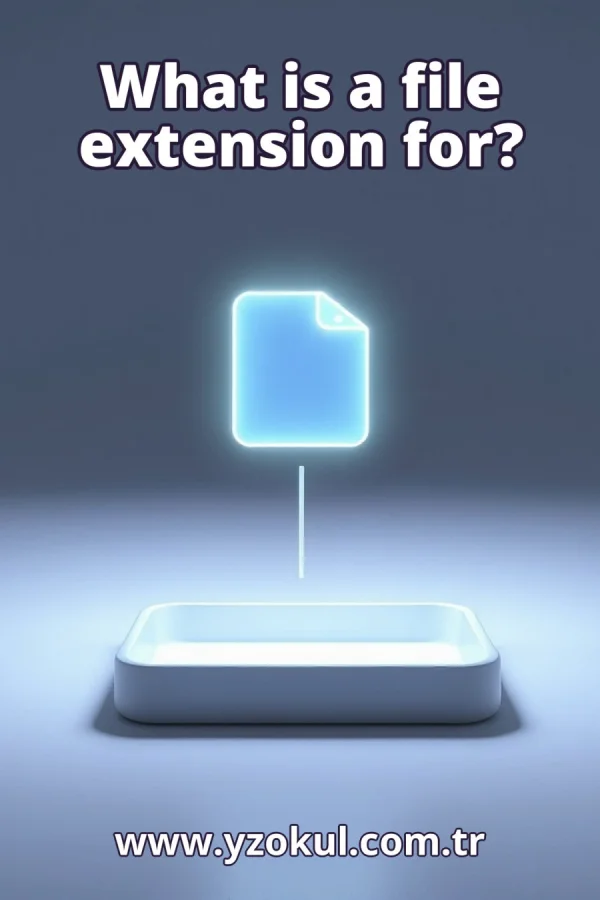
What is a file extension for?
www.yzokul.com.tr
- Category AI Resources
- Format PDF
- Size 5.7 MB
- Added 01.11.2026
- Views 1
This beginner-friendly answer book explains what a file extension is for. It answers the question by describing the extension as the ending part of a file name that usually shows the file type, such as .txt for plain text. It explains that operating systems and programs use this ending to help choose which program opens the file. It also warns that changing the extension does not convert the file content, so renaming an image to .mp3 does not make it music. The path moves from basic definition to practical use and a common misunderstanding.
Read the Book
If the PDF does not appear, open it in a new tab.
A Chapter from the Book
What is a file extension for? www.yzokul.com.tr
You have one question: what is a file extension for? The short answer is that a file extension is the ending part of a file name. It usually shows the file type, which is the kind of content the file holds. For example, the ending .txt mostly signals a plain text file. This ending helps your computer understand what kind of file it is dealing with. 1
Look at a simple file name such as report.txt. It has two parts. The first part, report, is the name you or someone else chose. The second part, .txt, is a short ending that comes after a dot. Together they form the full file name. The ending is short and fixed, while the name part can be almost anything you like. 2
Point to the part after the last dot in a file name. In report.txt, the last dot comes before txt, so the extension is .txt. In a name like holiday.photo.jpg, the last dot is before jpg, so the extension is .jpg, not .photo. Always look at the last dot to find the true file extension. 3
The extension generally tells you what kind of file it is. A .txt ending mostly means a plain text file that holds only letters, numbers and simple symbols. A .jpg ending mostly means an image file that holds a picture. The extension is a quick label for the file type, so you can guess what is inside before you open it. 4
Several common endings appear on most computers. The ending .jpg usually marks a picture file, and .mp3 usually marks a music file. The ending .pdf often marks a document that looks the same on every screen. Each ending hints at the type of content inside the file. Learning a few of these endings helps you recognize files quickly. 5
The extension usually starts with a dot, as in .txt or .jpg. That dot is a separator: it marks where the name part ends and the ending part begins. Without the dot, the computer could not easily tell which letters are the name and which are the extension. The dot itself is not spoken aloud; you say the file is a txt file or a jpg file. 6
Operating systems and programs read the extension. An operating system is the main software that runs your computer, such as Windows or macOS. When you open a file, the system looks at the ending to help decide which program should handle it. This makes opening files faster, because the computer does not have to guess from scratch every time. 7
A .txt file may open in a text editor, which is a program for writing and reading plain text. A .jpg file may open in an image viewer, which is a program for looking at pictures. The extension helps the computer pick a fitting program for each file. If the ending matches a program you have, the file opens with one click or tap. 8
Compare two files with the same name but different endings, such as photo.jpg and photo.txt. The name part, photo, is identical in both. Only the ending differs. That difference signals a different file type: one is likely a picture and the other is likely plain text. The ending is the part that tells them apart. 9
Some systems hide extensions by default, so you may see only photo instead of photo.jpg. Even when hidden, the ending is still there in the full file name. You can usually change a setting to show extensions, which helps you see the real file type. Seeing the ending makes it easier to understand what kind of file you have. 10
Changing the ending is easy. You can rename a file and change its extension, such as from .jpg to .mp3. This is a simple rename action, like changing a label on a box. The computer accepts the new ending and may then try to open the file with a different program. But renaming only changes the label, not the contents. 11
Changing the extension does not change what is inside the file. The content stays exactly the same as before the rename. If the file held a picture, it still holds that picture after you change the ending. The extension is only a name; it does not rewrite or convert the data stored in the file. Renaming and converting are two very different actions. 12
Picture an image file renamed to end in .mp3. It still contains a picture, not music. When you try to play it as a song, it will not work, because the content is not audio. The .mp3 ending is only a label that no longer matches the real content. This shows clearly that renaming does not convert a file. 13
People get confused because the ending looks like it defines the file. It is easy to think that changing .jpg to .mp3 makes a picture into music. In truth, the ending is only a label that usually matches the content. When the label and the content disagree, problems appear. The confusion comes from treating the label as the thing itself. 14
Treat the extension as a helpful hint, not proof. If a file will not open, the ending may not match its real content. The program chosen by the ending may be wrong for what is inside. In that case, you may need a different program that can read the actual content. The ending guides the computer, but it does not guarantee the file type.
This section is a preview taken from the book (about 932 words). To continue, read the book or download the PDF.
Book Details
- Book
- What is a file extension for?
- Author
- www.yzokul.com.tr
- Category
- AI Resources
- Language
- English
- Format
- PDF · 5.7 MB
- Pages
- 18
- Words
- about 1,001
- Published
- kaynak.yzokul.com.tr · 01.11.2026
- Access
- Free to read and download; for personal use only, all rights belong to the author.
Frequently Asked Questions
Is the PDF of What is a file extension for? free?
Yes. What is a file extension for? can be read and downloaded for free on this site; no sign-up or payment is required.
How many pages is What is a file extension for??
What is a file extension for? has 18 pages and about 1,001 words.
Which devices can I read What is a file extension for? on?
It is a PDF; you can read it in your browser on a phone, tablet or computer, or download it and open it offline.
Who is the author of What is a file extension for??
What is a file extension for? was written by www.yzokul.com.tr; it is listed in the AI Resources category.
Similar Books
 What is artificial intelligence?
www.yzokul.com.tr
What is artificial intelligence?
www.yzokul.com.tr
 How does an app idea turn into a working program?
www.yzokul.com.tr
How does an app idea turn into a working program?
www.yzokul.com.tr
 How does a three-dimensional printer produce a model?
www.yzokul.com.tr
How does a three-dimensional printer produce a model?
www.yzokul.com.tr
 What is simulation?
www.yzokul.com.tr
What is simulation?
www.yzokul.com.tr
 What is the difference between a microcontroller and a normal computer?
www.yzokul.com.tr
What is the difference between a microcontroller and a normal computer?
www.yzokul.com.tr
 What is a microcontroller?
www.yzokul.com.tr
What is a microcontroller?
www.yzokul.com.tr