
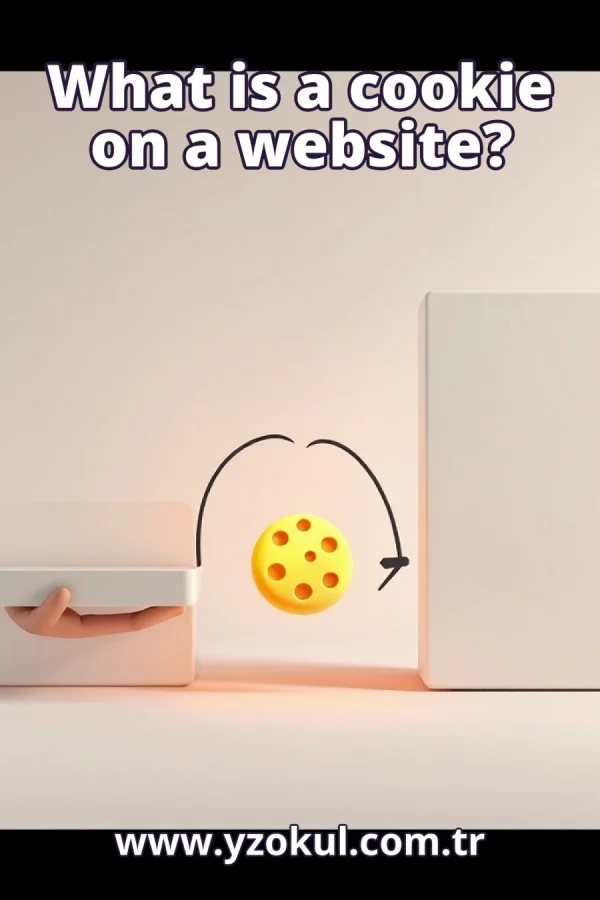
What is a cookie on a website?
www.yzokul.com.tr
- Category AI Resources
- Format PDF
- Size 5.9 MB
- Added 01.11.2026
- Views 1
This book answers the beginner question of what a cookie is on a website. It follows a simple path: a cookie is a small piece of data the browser stores for a site and may send back to the server in later requests, for example to keep a session identifier. It explains that cookies are not program code and do not run applications, while noting that what is stored and when it is sent matter for privacy and security.
Read the Book
If the PDF does not appear, open it in a new tab.
A Chapter from the Book
What is a cookie on a website? www.yzokul.com.tr
A cookie on a website is a small piece of data that your browser stores for that site and may send back to the server later. It is not a program and it does not do anything by itself. For example, a site might store a short identifier so it can recognize your visit on the next page. That is the short answer. 1
A website is not one single place. Part of it runs on a server, a computer that holds the pages and answers requests, and part of it runs in your browser, the program on your own device that shows pages. The browser is what you see and click; the server is what sends the content. They work together over the internet. 2
When you open a page, your browser sends a request to the server asking for it. The server sends back a response with the page content. This back-and-forth happens for every page, image, and file you load. A request is simply a message asking for something, and a response is the answer that comes back. 3
Each request your browser makes starts fresh from the server's point of view. The server does not automatically remember the last request or who made it. Without some extra help, every new request looks like it comes from a stranger. Something must carry information from one request to the next so the server can tell requests apart. 4
A cookie is a small labeled piece of data, like a name tag with a label and a value. The label is the cookie's name, and the value is the data it holds. Your browser stores it, not the server; the server can only ask the browser to keep it. For example, a cookie might have the name session and the value a1b2c3. 5
Your browser keeps cookies in its own storage, tied to a specific site. Each site has its own separate set of cookies, and one site cannot read another site's cookies. For example, cookies set by example.com are kept apart from cookies set by another site. This separation is part of how browser storage works. 6
A cookie is created when the server sends it in a response. The response includes a small instruction telling the browser to store a cookie with a certain name and value. Your browser then saves it in its storage for that site. For example, the server may send a cookie named session with a random value when you first visit. 7
On later requests to the same site, your browser can attach the stored cookie to the request. The server then receives the same data it set earlier. For example, when you click a link to another page on the site, the request carries the session cookie back. This is how the server gets its data returned. 8
Cookies are not sent everywhere. Rules decide which site and which requests receive them, based on the site that set the cookie and the address being requested. This is why the same cookie does not follow you across the whole internet. For example, a cookie set by one site is not sent to a different site you visit. 9
The main example is keeping a session. A session is a period of activity where the server treats your requests as belonging to the same visitor. The server puts an identifier in a cookie, and later requests carry it back. For example, the server sees the same identifier and knows it is still you, so you stay logged in. 10
A cookie is only data, not a program. It does not run, execute, or install anything on its own, and it cannot perform actions by itself. It is more like a note than a machine. For example, a cookie holding the value a1b2c3 just sits in storage and is sent back; it does not start any application. 11
What a cookie stores can be simple data such as an identifier or a preference like a language choice. Even simple data can say something about the visitor, because it may link requests to the same person. For example, a cookie that holds a unique identifier can show that several requests came from one browser. So the content deserves attention. 12
When a cookie is sent matters too. Sending it in later requests shares that stored data with the server, and possibly with others if the rules are loose. So both what is stored and when it is sent affect privacy and security. For example, a cookie sent only over secure connections is less exposed than one sent everywhere. 13
A common mistake is to think a cookie is a virus or a program. A cookie is not a virus and it cannot run code; it is just stored data. It can still carry information worth protecting, so it deserves care, but it is not malicious by itself. For example, deleting cookies removes stored data, not an infection. 14
Another common mistake is to think a cookie remembers your whole browsing history. It does not. It only holds the small data a site chose to store, and it is sent under set rules to that site. For example, a cookie does not know every page you visited elsewhere; it only carries what was put in it. 15
A cookie is small data your browser stores for a site and may send back in later requests, such as a session identifier. It is not code and does not run applications. What it holds and when it is sent matter for privacy and security, so treat cookies as data worth understanding.
This section is a preview taken from the book (about 951 words). To continue, read the book or download the PDF.
Book Details
- Book
- What is a cookie on a website?
- Author
- www.yzokul.com.tr
- Category
- AI Resources
- Language
- English
- Format
- PDF · 5.9 MB
- Pages
- 18
- Words
- about 952
- Published
- kaynak.yzokul.com.tr · 01.11.2026
- Access
- Free to read and download; for personal use only, all rights belong to the author.
Frequently Asked Questions
Is the PDF of What is a cookie on a website? free?
Yes. What is a cookie on a website? can be read and downloaded for free on this site; no sign-up or payment is required.
How many pages is What is a cookie on a website??
What is a cookie on a website? has 18 pages and about 952 words.
Which devices can I read What is a cookie on a website? on?
It is a PDF; you can read it in your browser on a phone, tablet or computer, or download it and open it offline.
Who is the author of What is a cookie on a website??
What is a cookie on a website? was written by www.yzokul.com.tr; it is listed in the AI Resources category.
Similar Books
 What is artificial intelligence?
www.yzokul.com.tr
What is artificial intelligence?
www.yzokul.com.tr
 How does an app idea turn into a working program?
www.yzokul.com.tr
How does an app idea turn into a working program?
www.yzokul.com.tr
 How does a three-dimensional printer produce a model?
www.yzokul.com.tr
How does a three-dimensional printer produce a model?
www.yzokul.com.tr
 What is simulation?
www.yzokul.com.tr
What is simulation?
www.yzokul.com.tr
 What is the difference between a microcontroller and a normal computer?
www.yzokul.com.tr
What is the difference between a microcontroller and a normal computer?
www.yzokul.com.tr
 What is a microcontroller?
www.yzokul.com.tr
What is a microcontroller?
www.yzokul.com.tr