
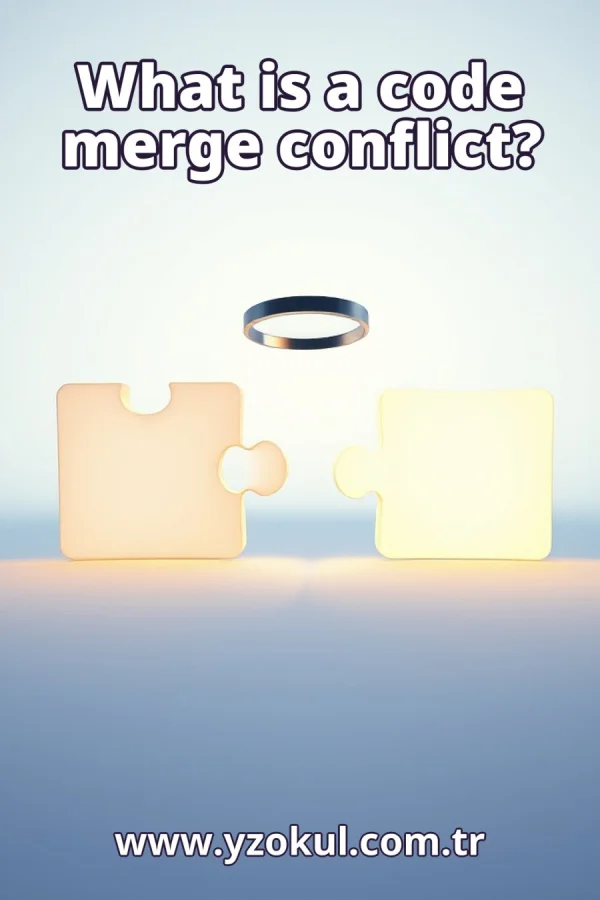
What is a code merge conflict?
www.yzokul.com.tr
- Category AI Resources
- Format PDF
- Size 6.7 MB
- Added 01.11.2026
- Views 1
This book answers the beginner question of what a code merge conflict is. It explains from zero how version control and branching work, and why conflicts happen when two lines of development change the same part of a file in different ways. The book then follows a clear path: the developer manually decides which content to keep or how to combine it, and afterwards checks that the whole program still works correctly. It stresses that a conflict does not mean the project is lost.
Read the Book
If the PDF does not appear, open it in a new tab.
A Chapter from the Book
What is a code merge conflict? www.yzokul.com.tr
A code merge conflict happens when two sets of changes to the same code cannot be combined automatically, so a person must decide what to keep. This answer book explains the idea from the beginning, using plain words. You will see how version control and branching work, why conflicts appear, how to resolve one by hand, and how to check your work afterward. The short answer: a conflict is a request for a human decision, not a disaster. 1
Code is just text stored in files that tells a computer what to do. A software project is simply a folder full of these files, often organized into subfolders. Each file has a name and contents you can open and read. When people work on a project together, they change these files over time. Keeping track of those changes is the job of a version control tool. 2
People often want to keep old versions of their files so they can go back or compare. Version control is a tool that remembers every saved version for you, so nothing is lost. Instead of copying folders by hand, you let the tool record each change. This makes it easy to see what changed, when, and by whom. It also lets several people work on the same project without overwriting each other's work. 3
A commit is a saved snapshot of your files together with a short message about what changed. Each commit is a point you can return to later, like a bookmark in the project's history. For example, you might commit with the message fix login button color. The version control tool stores that snapshot and links it to the previous one. Over time, commits form a chain that records how the project grew. 4
A branch is a separate line of work that starts from a commit. People make branches so they can try changes without disturbing the main version of the project. For example, you create a branch called new-menu to experiment with a redesign. The main branch stays as it was, and your branch grows on its own. When the work is ready, you can bring it back into the main line. 5
Picture two branches growing from the same starting commit, each with its own new commits. This is what it means to have two lines of development. One person might add a feature on one branch while another fixes a bug on a different branch. Both branches share the same history up to the point where they split. After that, each branch records its own separate changes. 6
A merge takes the changes from one branch and adds them to another. The version control tool tries to combine the changes for you automatically. For example, you merge your new-menu branch into the main branch so everyone gets the redesign. The tool looks at what changed on each side since they split. If it can combine everything cleanly, the merge finishes without asking you anything. 7
If the two branches changed different parts of the files, the tool combines them automatically with no problem. For example, one branch edits the top of a file while the other edits the bottom. The tool simply keeps both edits, because they do not overlap. Most merges happen this way, quietly and without any conflict. You often do not even notice that a merge took place. 8
The key case is when both branches changed the very same line in different ways. For example, one branch sets the title to Welcome while the other sets it to Hello. The tool cannot know which version you want, because both are valid changes. So it stops and asks you to decide. This situation is exactly what leads to a merge conflict. 9
That stop is called a merge conflict. It is the tool saying it needs a human decision, not a sign that something is broken. The word conflict sounds dramatic, but it simply means the automatic merge could not finish. Nothing has been thrown away, and no work is lost. The tool pauses and waits for you to choose what the final file should contain. 10
The tool shows the conflict inside the file using special markers. One marker separates your version from the other version, and another marker ends the other version. For example, you might see a block labeled with your branch name above one set of lines and the other branch name above another set. You can read both options clearly and compare them side by side. 11
Now you decide what to keep. You can keep one version, keep the other, or combine parts of both into something new. This is a human decision the tool cannot make for you. For example, you might keep the other branch's title but add a line from your own version below it. You edit the file until it contains exactly what you want, then save it. 12
A conflict does not mean the project is lost or ruined. Nothing is deleted for good, and you can always look back at the old versions in the commit history. If you make a mistake while resolving, you can undo it or start the merge again. The conflict is just a pause for a decision. Treat it as a normal part of working with branches, not as a failure.
This section is a preview taken from the book (about 902 words). To continue, read the book or download the PDF.
Book Details
- Book
- What is a code merge conflict?
- Author
- www.yzokul.com.tr
- Category
- AI Resources
- Language
- English
- Format
- PDF · 6.7 MB
- Pages
- 18
- Words
- about 1,093
- Published
- kaynak.yzokul.com.tr · 01.11.2026
- Access
- Free to read and download; for personal use only, all rights belong to the author.
Frequently Asked Questions
Is the PDF of What is a code merge conflict? free?
Yes. What is a code merge conflict? can be read and downloaded for free on this site; no sign-up or payment is required.
How many pages is What is a code merge conflict??
What is a code merge conflict? has 18 pages and about 1,093 words.
Which devices can I read What is a code merge conflict? on?
It is a PDF; you can read it in your browser on a phone, tablet or computer, or download it and open it offline.
Who is the author of What is a code merge conflict??
What is a code merge conflict? was written by www.yzokul.com.tr; it is listed in the AI Resources category.
Similar Books
 What is artificial intelligence?
www.yzokul.com.tr
What is artificial intelligence?
www.yzokul.com.tr
 How does an app idea turn into a working program?
www.yzokul.com.tr
How does an app idea turn into a working program?
www.yzokul.com.tr
 How does a three-dimensional printer produce a model?
www.yzokul.com.tr
How does a three-dimensional printer produce a model?
www.yzokul.com.tr
 What is simulation?
www.yzokul.com.tr
What is simulation?
www.yzokul.com.tr
 What is the difference between a microcontroller and a normal computer?
www.yzokul.com.tr
What is the difference between a microcontroller and a normal computer?
www.yzokul.com.tr
 What is a microcontroller?
www.yzokul.com.tr
What is a microcontroller?
www.yzokul.com.tr