
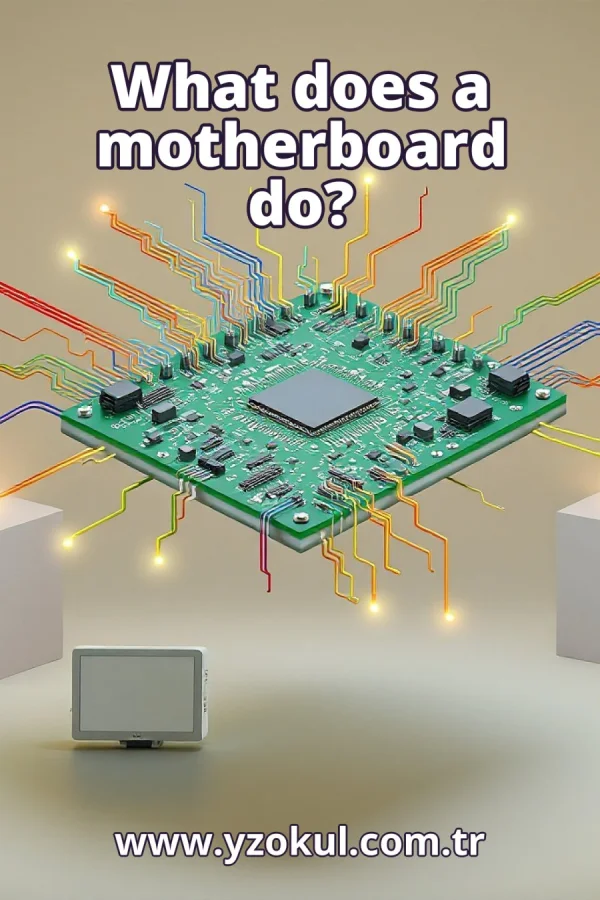
What does a motherboard do?
www.yzokul.com.tr
- Category AI Resources
- Format PDF
- Size 9.6 MB
- Added 01.11.2026
- Views 1
This book answers the question of what a motherboard does, starting from zero for complete beginners. It explains that the motherboard is the main circuit board of a computer, where parts like the processor and memory are connected and through which they communicate. It describes how the board provides the data and electrical paths between components, comparing it to a connection network in a city. It also explains that which parts can be used depends on the physical and technical compatibility of the motherboard.
Read the Book
If the PDF does not appear, open it in a new tab.
A Chapter from the Book
What does a motherboard do? www.yzokul.com.tr
You may have heard the word motherboard and wondered what it does. The short answer is that the motherboard is the main circuit board inside a computer. It connects the computer's parts and lets them communicate with each other. In this book, you will learn exactly what that means, step by step, starting from the very beginning. 1
A computer is made of many separate parts. There is a processor that does calculations, memory that stores information temporarily, and various connections for other devices. Each part has its own specific job. For example, the processor handles instructions, while memory holds data that is being used right now. These parts are not all the same. 2
Separate parts cannot work alone; they must be joined together. Something has to hold them in place and link them so they can share information. Without connections, each part would be isolated and useless. The motherboard is the thing that provides this holding and linking. It brings the separate parts together into one working system. 3
The motherboard is one large flat board covered in circuits. Circuits are thin paths that carry electrical signals. This board is the main board inside the computer case. You can think of it as the central platform where everything else attaches. It is usually rectangular and has many small components and connectors on it. 4
The processor, often called the CPU, is located on or connected to the motherboard. The board gives the processor a place to sit and work. It also provides the electrical connections the processor needs to function. The processor is like the worker that does the calculations, and the motherboard is its desk and wiring. Without the board, the processor cannot connect to anything. 5
Memory, which is temporary storage for data, also connects to the motherboard. The board links memory to the processor so they can exchange information quickly. When you run a program, data moves between memory and the processor through the motherboard. This link is essential for the computer to work. The board makes this connection possible. 6
Various connections are placed on the board. Other parts and cables plug into these connections. For example, you might plug in a graphics card, a hard drive cable, or a USB device. These connections are like sockets that allow different devices to join the system. The motherboard provides these sockets in standard shapes so parts can be attached. 7
The motherboard provides data paths between parts. Information travels along these paths from one component to another. These paths are like roads for data. When the processor needs data from memory, it sends a request along the data paths on the motherboard. The data then travels back along these paths. This is how parts share information. 8
The motherboard also provides electrical paths. Power travels through the board to reach the parts. The power supply unit sends electricity to the motherboard, which then distributes it to the processor, memory, and other components. These electrical paths are separate from data paths but equally important. Without power, no part can work. 9
Putting data and power paths together, parts communicate through the motherboard. The board is the route their signals take. When the processor talks to memory, the signals travel along the board's paths. Similarly, when you plug in a device, signals go through the board. The motherboard is the central communication channel for all parts. 10
You can compare the motherboard to a connection network in a city. Roads link buildings the way the board links computer parts. Just as roads allow people and goods to move between buildings, the motherboard allows data and power to move between components. This comparison helps you picture how everything is connected. The board is like the road system of a city. 11
Not every part fits every motherboard. Which parts you can use depends on the motherboard. A part must be compatible with the board. Compatibility means the part can work with the board both physically and technically. If a part is not compatible, it cannot be used with that motherboard. So the motherboard determines what parts you can choose. 12
Physical compatibility means a part must fit the board's shape and connections. For example, a processor must fit into the correct type of socket on the motherboard. Memory modules must fit into the memory slots. If a part does not physically fit, it cannot be connected and used. So you must check that the part's shape matches the board's connectors. 13
Technical compatibility means a part must also work with the board's technical requirements. Even if a part fits physically, it might not be supported by the motherboard's electronics. For example, the board must support the processor's speed and voltage. The memory type must be supported by the board's chipset. Fitting is not enough on its own; the part must also be technically compatible. 14
A common mistake is to think the motherboard is the brain of the computer. The motherboard does not do the computing itself. It connects and carries signals between the parts that do the computing, like the processor and memory. The processor is more like the brain, while the motherboard is the nervous system that connects everything. So remember, the motherboard is not the brain. 15
To sum up, the motherboard is the main circuit board that connects parts and provides their data and electrical paths. It holds the processor, memory, and connections, and allows them to communicate. Remember that compatibility decides which parts can be used. Physical and technical compatibility are both important. With this knowledge, you understand the essential role of the motherboard.
This section is a preview taken from the book (about 947 words). To continue, read the book or download the PDF.
Book Details
- Book
- What does a motherboard do?
- Author
- www.yzokul.com.tr
- Category
- AI Resources
- Language
- English
- Format
- PDF · 9.6 MB
- Pages
- 18
- Words
- about 948
- Published
- kaynak.yzokul.com.tr · 01.11.2026
- Access
- Free to read and download; for personal use only, all rights belong to the author.
Frequently Asked Questions
Is the PDF of What does a motherboard do? free?
Yes. What does a motherboard do? can be read and downloaded for free on this site; no sign-up or payment is required.
How many pages is What does a motherboard do??
What does a motherboard do? has 18 pages and about 948 words.
Which devices can I read What does a motherboard do? on?
It is a PDF; you can read it in your browser on a phone, tablet or computer, or download it and open it offline.
Who is the author of What does a motherboard do??
What does a motherboard do? was written by www.yzokul.com.tr; it is listed in the AI Resources category.
Similar Books
 What is artificial intelligence?
www.yzokul.com.tr
What is artificial intelligence?
www.yzokul.com.tr
 How does an app idea turn into a working program?
www.yzokul.com.tr
How does an app idea turn into a working program?
www.yzokul.com.tr
 How does a three-dimensional printer produce a model?
www.yzokul.com.tr
How does a three-dimensional printer produce a model?
www.yzokul.com.tr
 What is simulation?
www.yzokul.com.tr
What is simulation?
www.yzokul.com.tr
 What is the difference between a microcontroller and a normal computer?
www.yzokul.com.tr
What is the difference between a microcontroller and a normal computer?
www.yzokul.com.tr
 What is a microcontroller?
www.yzokul.com.tr
What is a microcontroller?
www.yzokul.com.tr