
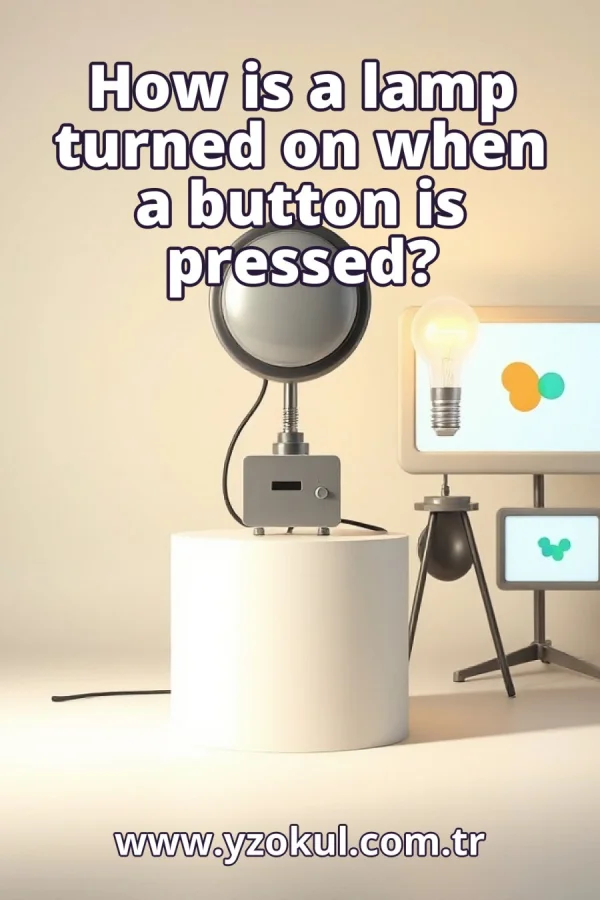
How is a lamp turned on when a button is pressed?
www.yzokul.com.tr
- Category AI Resources
- Format PDF
- Size 6.0 MB
- Added 01.11.2026
- Views 1
This book answers the question of how a lamp turns on when a button is pressed, explaining everything from zero for complete beginners. It follows a clear path: the system reads the button input, detects the press, and sets the lamp output using a simple program condition. It also covers driver circuits for lamps that need more power and button bounce filtering so a single press is detected correctly.
Read the Book
If the PDF does not appear, open it in a new tab.
A Chapter from the Book
How is a lamp turned on when a button is pressed? www.yzokul.com.tr
You want to know how pressing a button turns on a lamp. The short answer is that a program reads the button, detects the press, and switches the lamp output on. The button is an input, the lamp is an output, and a controller connects them. The program checks the button again and again and acts when it sees a press. 1
Three main parts make this work: a button, a lamp, and a controller in between. The controller is a small computer board that connects what the button does to what the lamp does. The button sends a signal into the controller. The controller sends a signal out to the lamp. The controller is the part that decides when to turn the lamp on. 2
An input is a place where the controller senses a signal from the outside world. The button is connected to an input, so the controller can tell whether it is pressed or not. The input carries a simple electrical signal that changes when the button is pressed. The controller reads this signal as a value. That value tells the controller the button's state. 3
An output is a place where the controller sends a signal out to make something happen. The lamp is connected to an output, so the controller can turn it on or off. The output carries a signal from the controller to the lamp circuit. When the output is set to on, the lamp receives the signal to light. When it is set to off, the lamp goes dark. 4
A button has only two states: pressed and not pressed. The controller reads this as a simple two-value signal, like yes or no. When you press the button, the signal at the input changes from one value to the other. When you release it, the signal changes back. The controller only needs to know which of the two states it is in. 5
The controller checks the button input again and again in a loop. Each time around the loop, it reads the current state: pressed or not pressed. This happens very fast, many times per second. Because it repeats, the controller notices quickly when the button state changes. Reading the input is the first job in the process. 6
The program compares the read state to what it expects for a press. When the state matches pressed, the program decides a press has happened. This comparison is how the controller turns a simple signal into a decision. Without it, the controller would only see a value, not a press. The detection is the moment the program recognizes your action. 7
Once a press is detected, the program sets the lamp output to its on state. That output signal is what actually makes the lamp light up. Setting the output is a single action in the program. The controller holds the output at on until the program changes it. This is the moment the lamp responds to your press. 8
The whole relationship is written as one simple condition: if the button is pressed, then turn the lamp on. This is the core of the program. The condition ties the input state to the output action. When the condition is true, the output is set. When it is false, the output stays off or unchanged. 9
Follow the flow in order: read the input, check the condition, set the output. Seeing it as a flow makes the whole process easy to picture. First the controller reads the button state. Then the program checks whether that state means pressed. Finally it sets the lamp output. Repeating this flow keeps the lamp responding correctly. 10
A controller output is usually too weak to power a lamp directly. A driver element suited to the lamp's power needs sits between the output and the lamp. The driver takes the controller's small signal and switches the larger power the lamp requires. Without a driver, a power-hungry lamp may not light or may damage the output. The driver is the bridge between weak and strong. 11
The driver is placed between the controller output and the lamp. The controller's small signal tells the driver to switch the lamp's larger power on. When the output is set, the driver receives that signal and closes the path for the lamp's power. The lamp then lights using its own supply. The controller only manages the signal, not the lamp's full current. 12
Mechanical buttons can produce brief bounces when pressed. These quick on-off flickers can look like several presses instead of one. The metal contacts inside the button touch and separate rapidly for a moment. The controller reads each flicker as a change. Without handling, the program may think you pressed many times. 13
Filtering is added so the program correctly detects a single press. This keeps the lamp from flickering or toggling wrongly because of bounce. The program can wait a short time after a change and read again. If the state is stable, it accepts the press. Filtering turns a noisy signal into one clean press. 14
Review typical mistakes: forgetting the driver for a powerhungry lamp, ignoring bounce, and mixing up input and output. Checking these avoids the most common problems. A missing driver means the lamp may not light. Ignoring bounce means one press may act like many. Mixing input and output means the button and lamp are connected to the wrong places.
This section is a preview taken from the book (about 919 words). To continue, read the book or download the PDF.
Book Details
- Book
- How is a lamp turned on when a button is pressed?
- Author
- www.yzokul.com.tr
- Category
- AI Resources
- Language
- English
- Format
- PDF · 6.0 MB
- Pages
- 18
- Words
- about 976
- Published
- kaynak.yzokul.com.tr · 01.11.2026
- Access
- Free to read and download; for personal use only, all rights belong to the author.
Frequently Asked Questions
Is the PDF of How is a lamp turned on when a button is pressed? free?
Yes. How is a lamp turned on when a button is pressed? can be read and downloaded for free on this site; no sign-up or payment is required.
How many pages is How is a lamp turned on when a button is pressed??
How is a lamp turned on when a button is pressed? has 18 pages and about 976 words.
Which devices can I read How is a lamp turned on when a button is pressed? on?
It is a PDF; you can read it in your browser on a phone, tablet or computer, or download it and open it offline.
Who is the author of How is a lamp turned on when a button is pressed??
How is a lamp turned on when a button is pressed? was written by www.yzokul.com.tr; it is listed in the AI Resources category.
Similar Books
 What is artificial intelligence?
www.yzokul.com.tr
What is artificial intelligence?
www.yzokul.com.tr
 How does an app idea turn into a working program?
www.yzokul.com.tr
How does an app idea turn into a working program?
www.yzokul.com.tr
 How does a three-dimensional printer produce a model?
www.yzokul.com.tr
How does a three-dimensional printer produce a model?
www.yzokul.com.tr
 What is simulation?
www.yzokul.com.tr
What is simulation?
www.yzokul.com.tr
 What is the difference between a microcontroller and a normal computer?
www.yzokul.com.tr
What is the difference between a microcontroller and a normal computer?
www.yzokul.com.tr
 What is a microcontroller?
www.yzokul.com.tr
What is a microcontroller?
www.yzokul.com.tr